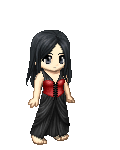
Welcome to Gaia! ::


User Image - Blocked by "Display Image" Settings. Click to show.

Dove's Avatar Edits

Welcome! Here you can buy avatar edits to put in your sig, your art thread, website, wherever. If you're interested, just look on the posts below and you'll find most everything you need to know in order to purchase an edit. If you have any questions, check the FAQ post first. If you can't find the answer on there, just post your question and I'll answer you as soon as I can. Thank you for visiting!

Status

Custom Edits: closed
Premade Edits: closed

Updates

April 5th, 2007 - Open for Customs.
August 27th, 2006 - Remodeling and Reopening.
January 19th, 2006 - Temporarily Closed.
September 24th, 2005 - Thread Created

Blab Box

Alright, so I'm trying out the custom edit thing. Maybe I'll keep it, maybe I won't.

User Image - Blocked by "Display Image" Settings. Click to show.

Table of Contents

1. Welcome, Updates, and Blab Box
2. Table of Contents
3. Rules
4. Outfits
5. Wigs
6. Customs
7. How to purchase
8. Pricing
9. Order Forms
10. FAQ
11. Black List
12. Edits I've Purchased
13. Link Me
14. Links Out

User Image - Blocked by "Display Image" Settings. Click to show.

Rules

Yeah, I have to go through all this strict stuff before we get to the actual edits, but I really do need to establish these. Failure to comply will get you blacklisted.


1. Do not remove the signature from my edits.
2. Do not alter my edits without my permission. If you do alter or have them altered, you'll need to keep my signature on it, because some of the work was mine.
3. Do not sell any part of my edits. This includes altering them to put in your own shop. That's stealing.
4. Do not use an edit of mine unless you have purchased it from this shop.
5. Do not use the sample edits.
6. No flaming the thread.
7. No stretching the page.


User Image - Blocked by "Display Image" Settings. Click to show.

Outfits

Here are the outfits avalible for purchase. Some of the edits will have optional components, so please specify your prefrence in the order. Each outfit costs 400g. Limited recoloring can be done for an extra 300g. Detailed information on recoloring is at the bottom of this post.


User Image - Blocked by "Display Image" Settings. Click to show. User Image - Blocked by "Display Image" Settings. Click to show. User Image - Blocked by "Display Image" Settings. Click to show.

User Image - Blocked by "Display Image" Settings. Click to show. User Image - Blocked by "Display Image" Settings. Click to show. User Image - Blocked by "Display Image" Settings. Click to show.

User Image - Blocked by "Display Image" Settings. Click to show. User Image - Blocked by "Display Image" Settings. Click to show. User Image - Blocked by "Display Image" Settings. Click to show.

User Image - Blocked by "Display Image" Settings. Click to show. User Image - Blocked by "Display Image" Settings. Click to show. User Image - Blocked by "Display Image" Settings. Click to show.

User Image - Blocked by "Display Image" Settings. Click to show. User Image - Blocked by "Display Image" Settings. Click to show. User Image - Blocked by "Display Image" Settings. Click to show.


Options:

- The blood on the "Dark Romance" edit is optional.
- The "Cowgirl" edit can also come with the hat seen on the "Cowgirl" wig.


Recoloring:

Black Romance - the base colors of the top and skirt can be recolored.
Blue Lace - the blue can be recolored to a single other color.
Cami Top - no recolors.
Bohemian - the skirt, top, and jacket can be recolored.
Classy - no recolors.
Chunyue - no recolors.
Crinoline - no recolors.
Cowgirl - the top and boots can be recolored.
Red Heels - the red can be recolored to a single other color.
Bright and Fuzzy - everything but the belt and gold sparkles can be recolored.
Pink Flame - no recolors.
Miaka - no recolors.
Princess - the base color can be recolored to a single other color.
Pink Lace - the pink can be recolored to a single other color.
Annarie - the blue can be recolored to a single other hue.
Uniform - everything can be recolored, with the skirt remaining a single hue.
Rose - the red can be recolored to a single other color.
Red Lace - the red can be recolored to a single other color.
Tattered Gown - no recolors.
Dark Candy - the corset can be recolored.
Goth Loli - no recolors.
Ryoga - no recolors.
Azumanga - everything can be recolored.
Kayla - the green shirt can be recolored.
Wedding - the white can be recolored to black with light embriodery.
Corset - no recolors.
Candy - the purple shirt can be recolored to a single other hue.
Songbird - no recolors.


User Image - Blocked by "Display Image" Settings. Click to show.

Wigs

Here are the wigs avalible for purchase. Some of the wigs will have optional components, so please specify your prefrence in the order. Each wig costs 200g. Recoloring can be done for an extra 100g.


User Image - Blocked by "Display Image" Settings. Click to show. User Image - Blocked by "Display Image" Settings. Click to show. User Image - Blocked by "Display Image" Settings. Click to show.

User Image - Blocked by "Display Image" Settings. Click to show. User Image - Blocked by "Display Image" Settings. Click to show. User Image - Blocked by "Display Image" Settings. Click to show.

User Image - Blocked by "Display Image" Settings. Click to show. User Image - Blocked by "Display Image" Settings. Click to show. User Image - Blocked by "Display Image" Settings. Click to show.

User Image - Blocked by "Display Image" Settings. Click to show. User Image - Blocked by "Display Image" Settings. Click to show.


Options:

- The jewelry on the "Chunyue" wig can be removed.
- The chopsticks on the "Amanda" wig can be removed.
- The headband on the "Leah" wig can be removed.
- The headpiece on the "Miaka" wig can be removed.
- The clip on the "Tessa" wig can be removed.
- The earrings on the "Kayla" wig can be removed.


User Image - Blocked by "Display Image" Settings. Click to show.

Customs


The feature of custom edits is new to this shop and currently on a trial period. During this period, I'd appriciate any feedback on pricing and policy that might help me adjust my rules to be fair and reasonable.


Pricing

Custom edits are 1000-5000g, depending on their difficulty. A custom base with a simple wig would be around 1000, and a full edit with complicated folds, embroidery, patterns, and curls would be 5000. Prices are not set during my trial period for custom edits, so feel free to tell me what you think your edit should cost.


Use in the shop

I haven't decided whether I should use the custom edits I make as premades in my shop. During the trial period, please tell me if you would or would not want your custom edit used as a premade edit, and how much you would be willing to pay for your edit to be "reserved," or not sold as a premade.


Order Form

Base:
References: Please make sure that your references show all the clothing from a good angle. Multiple references are appreciated.
Price Estimate (only for trial period): Put your best guess as to what the price should be. I'll send you the official price in the confirmation PM
Additional Questions or Comments: I'll answer these in the confirmation PM.


Waitlist

1. Dalnim
2. NightSymphony
3. Dark_Queen_of_Death
4. nemesiskenobi
5. [Juice.Box.Whore]


User Image - Blocked by "Display Image" Settings. Click to show.

How to purchase


Step 1. Pick out an outfit and/or wig.
Step 2. Create a naked base using the Gaia Dream Creator.
Step 3. Host the avatar picture using the Dream Creator, or on a site such as Image Shack. With imageshack, you won't even have to sign up for an account.
Step 4. Post a filled out order form on this thread. Do not PM the order.
Step 5. Start a trade with the proper cost in the case of premade edits.
Step 6. I will PM you to confirm your order, and then get to work. In the case of custom edits, start the trade. Confirm the trade.
Step 7. Once I'm finished with your edit, I'll send you another PM with the finished edit(s).
Step 8. Save the edits to your own computer. I'll only keep them up on my server for about 5 days.


User Image - Blocked by "Display Image" Settings. Click to show.

Pricing


Outfit: 400g
Outfit recolor: 300g
Wig: 200g
Wig recolor: 100g
Customs: 1000-5000g (see customs post)


User Image - Blocked by "Display Image" Settings. Click to show.

Premade Order Form

Once you've decided what you want, fill out the order form and post it on this thread. Please do not PM it to me.

Order Form:

Outfit Name: (price)
Outfit Recolor: Please use a color code, a link to another wig, or a short description of the color (price)
Wig Name: (price)
Wig Recolor: Please use a color code, a link to another wig, or a short description of the color (price)
Base: (img)
Total Price: XXXg
Additional questions or comments: (I will answer these in the confirmation PM)


Sample Order Form:

Outfit Name: Pink Lace (400g)
Wig Number: My own hair (0g)
Your avatar base: User Image - Blocked by "Display Image" Settings. Click to show.
Total price: 400g
Additional questions or comments:


User Image - Blocked by "Display Image" Settings. Click to show.

FAQ

More will come soon. If you have a question that isn't answered here, just post a reply on this thread and I'll try and answer you.


Q: Can I wear these clothes on my actual avatar?
A: No, I don't have the power to make these real Gaian items, it doesn't work that way. You just get a picture of the edit that you can put in your sig, website, ect.
Q: Can I get outfit XXX in a different position?
A: Sorry, the outfits come as they are.
Q: I like outfit XXX, except for... could you change it for me?
A: It depends on what you're asking for. If it's something simple like color change or the removal of bracelet or lace, I could probably do it for you. If its something big, don't count on me being willing to do it for you. Unless you offer lots of gold or something.
Q: Can you put an outfit on a base I bought from someone else.
A: If their shop rules specifically says that's okay to do, than, sure. But if not, you have to ask them about it. If they're okay with it, then yes, I could put one of my outfits on it, as long as the base was in the correct position for it.
Q: Can I crop out the signature?
A: No. Please read the rules.


User Image - Blocked by "Display Image" Settings. Click to show.

Blacklist

Colorless_Crayon - Failure to read the rules and insulting me.


User Image - Blocked by "Display Image" Settings. Click to show.

Edits I've Purchased

User Image - Blocked by "Display Image" Settings. Click to show.User Image - Blocked by "Display Image" Settings. Click to show.User Image - Blocked by "Display Image" Settings. Click to show.User Image - Blocked by "Display Image" Settings. Click to show.User Image - Blocked by "Display Image" Settings. Click to show.User Image - Blocked by "Display Image" Settings. Click to show.User Image - Blocked by "Display Image" Settings. Click to show.

User Image - Blocked by "Display Image" Settings. Click to show.

Link Me

If you want to link me, you can just copy the codes for the image you want to appear and paste it wherever.


User Image - Blocked by "Display Image" Settings. Click to show.
[url=http://www.gaiaonline.com/forum/viewtopic.php?t=10176482&] [img]http://img.villagephotos.com/p/2003-12/544219/banner3.jpg[/img][/url]


User Image - Blocked by "Display Image" Settings. Click to show.
[url=http://www.gaiaonline.com/forum/viewtopic.php?t=10176482&] [img]http://img.villagephotos.com/p/2003-12/544219/princessbanner.jpg[/img][/url]


User Image - Blocked by "Display Image" Settings. Click to show.
[url=http://www.gaiaonline.com/forum/viewtopic.php?t=10176482&] [img]http://img.villagephotos.com/p/2003-12/544219/chunyuebanner.jpg[/img][/url]


User Image - Blocked by "Display Image" Settings. Click to show.

Links Out

Avatar Edits:

User Image - Blocked by "Display Image" Settings. Click to show. User Image User Image - Blocked by "Display Image" Settings. Click to show. User Image - Blocked by "Display Image" Settings. Click to show. User Image User Image - Blocked by "Display Image" Settings. Click to show. User Image - Blocked by "Display Image" Settings. Click to show.
User Image - Blocked by "Display Image" Settings. Click to show.
User Image - Blocked by "Display Image" Settings. Click to show. User Image - Blocked by "Display Image" Settings. Click to show. User Image - Blocked by "Display Image" Settings. Click to show. User Image - Blocked by "Display Image" Settings. Click to show. User Image User Image - Blocked by "Display Image" Settings. Click to show. User Image - Blocked by "Display Image" Settings. Click to show. User Image - Blocked by "Display Image" Settings. Click to show. User Image User Image - Blocked by "Display Image" Settings. Click to show. User Image - Blocked by "Display Image" Settings. Click to show.User Image - Blocked by "Display Image" Settings. Click to show.
User Image
User Image - Blocked by "Display Image" Settings. Click to show.User Image

Other:

User Image - Blocked by "Display Image" Settings. Click to show.

User Image - Blocked by "Display Image" Settings. Click to show.
And finally open! Feel free to bump! heart

Quick Reply

Submit
Manage Your Items
Other Stuff
Get GCash
Offers
Get Items
More Items
Where Everyone Hangs Out
Other Community Areas
Virtual Spaces
Fun Stuff
Gaia's Games
Mini-Games
Play with GCash
Play with Platinum