Welcome to Gaia! ::

Reply General Discussion
Make your own album cover!

Quick Reply

Enter both words below, separated by a space:

Can't read the text? Click here

Submit

Remi-tan
Vice Captain

PostPosted: Thu Dec 27, 2007 2:08 am


1 - Go to wikipedia. Hit "random".

http://en.wikipedia.org/wiki/Special:Random


The first random wikipedia article you get is the name of your band.


2 - Go to Random quotations:

http://www.quotationspage.com/random.php3

The last four words of the very last quote of the page is the title of your first album.


3 - Go to flickr and click on "explore the last seven days"

http://www.flickr.com/explore/interesting/7days/

Third picture, no matter what it is, will be your album cover.


4 - Use photoshop or similar to mix it all up. Post here.


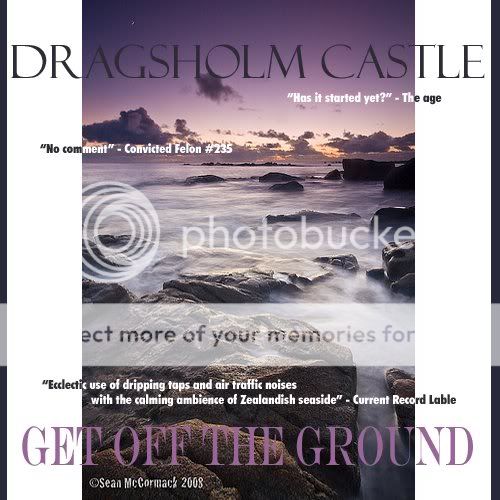
My album cover:
User Image - Blocked by "Display Image" Settings. Click to show.
PostPosted: Sun Dec 30, 2007 9:24 am


I think it's crazy that for my random wikipedia search I actually got a cd.

User Image

Raddishh


Elarhest

PostPosted: Thu Jan 17, 2008 7:19 am


Hehe, this was fun!
Thanks for the easy links.

User Image
PostPosted: Wed Jan 23, 2008 10:14 am


User Image - Blocked by "Display Image" Settings. Click to show.

Shiinomii


The Shoe Pile

PostPosted: Fri Jan 25, 2008 10:54 am


He he. Tweaked it a bit on photoshop.

User Image - Blocked by "Display Image" Settings. Click to show.
Reply
General Discussion

 
Manage Your Items
Other Stuff
Get GCash
Offers
Get Items
More Items
Where Everyone Hangs Out
Other Community Areas
Virtual Spaces
Fun Stuff
Gaia's Games
Mini-Games
Play with GCash
Play with Platinum