


Samurai_Graham
Site in which this was acquired from: http://www.flashkit.com/tutorials/Getting_Started/Guide_La-Eddie_Ca-11/index.php
Introduction
Guide layers are very important when making movies in flash because they snap objects to certain places and ensure they do not move during your production.
Turning The Grid On/Snapping a Layer to the Guide
To use the grid, simply right click on the document and select Grid > Edit Grid.
This will open the grid editing menu. This menus allow you to edit the grid size and how exact the snap to grid function is.
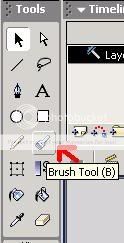
You may now create a simple object, like a painted image with the (see below image)
You will notice how the image you've made remains snapped to the grid when you try and move it. (see below)
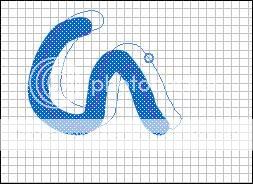
The little blue circle represents your mouse moving the anchor for the object
Guide Layer for Flash MX
Introduction
Guide layers are very important when making movies in flash because they snap objects to certain places and ensure they do not move during your production.
Turning The Grid On/Snapping a Layer to the Guide
To use the grid, simply right click on the document and select Grid > Edit Grid.
This will open the grid editing menu. This menus allow you to edit the grid size and how exact the snap to grid function is.
You may now create a simple object, like a painted image with the (see below image)
You will notice how the image you've made remains snapped to the grid when you try and move it. (see below)
The little blue circle represents your mouse moving the anchor for the object