|
|
|
|
|
|
|
|
|
 Posted: Tue Feb 27, 2007 9:39 pm Posted: Tue Feb 27, 2007 9:39 pm
So, by request of [ - Lord Ikon - ], I've made this so you all can make it rain in pictures. (:
You don't have to follow my exact steps, toggling with the opacity, distance, or angle will personalize your raining effect.
I hope this is understandable. This might be one of the first tutorials I have actually tried hard on.
Difficulty Rating: Easy
Requirements: Photoshop


Final product:

|
 |
|
|
|
|
|
|
|
|
|
|
|
|
|
Posted: Tue Feb 27, 2007 10:32 pm
Great Tutorial! Tomorrow I'll try to make it rain and let you all see the outcome! smile
|
|
|
|
|
|
|
|
|
|
|
|
|
|
|
|
|
|
Posted: Tue Feb 27, 2007 11:38 pm
Okay!! I can't wait for the outcome! XD
|
|
|
|
|
|
|
|
|
|
|
|
|
|
|
Posted: Tue Feb 27, 2007 11:58 pm
Looks pretty easy, at least way easier than Flash MX. I hate that program, I have a major project due next Friday on it and all I have done so far was draw a rock with a mustache. gonk
|
|
|
|
|
|
|
|
|
|
|
|
|
|
|
|
|
|
Posted: Tue Feb 27, 2007 11:59 pm
Aww, haha. I bet it's a very well drawn rock with a really awesome mustache. (:
|
|
|
|
|
|
|
|
|
|
|
|
|
|
|
Posted: Wed Feb 28, 2007 12:11 am
Does said Rock have a name?
|
|
|
|
|
|
|
|
|
|
|
|
|
|
|
|
|
|
Posted: Wed Feb 28, 2007 2:07 pm
Ah I've always wondered how to make .GIFs on ImageReady.
I just used the rain filter on Animation Shop.
|
|
|
|
|
|
|
|
|
|
|
|
|
|
|
Posted: Wed Feb 28, 2007 3:04 pm
How many different frames does the rain animation consist of? And will adding more or less making it better?
|
|
|
|
|
|
|
|
|
|
|
|
|
|
|
|
|
|
Posted: Wed Feb 28, 2007 4:14 pm
In the tutorial, there is only two frames. Adding more frames might create a more wispy effect, but I don't really see a difference. You can change the opacity of the rain layers and add more frames to create a "one second hard rain, the other second soft rain" effect.
|
|
|
|
|
|
|
|
|
|
|
|
|
|
|
Posted: Wed Apr 04, 2007 12:14 pm
Im In Love...Hey I did it biggrin 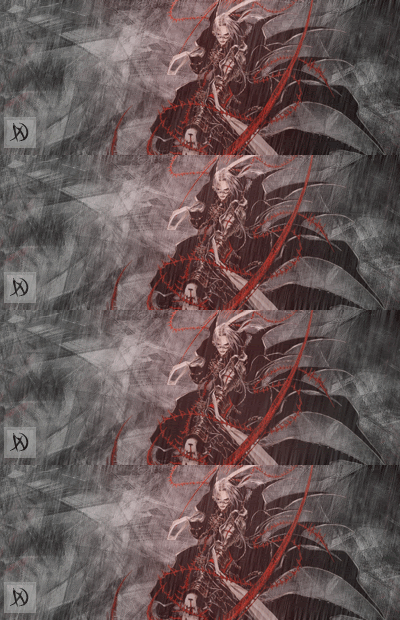 With A Beautiful Girl...
|
|
|
|
|
|
|
|
|
|
|
|
|
|
|
|
|
|
|







![[ - Lord Ikon - ]'s avatar](https://a1cdn.gaiaonline.com/dress-up/avatar/ava/8b/96/314810f432968b_flip.png?t=1219883477_6.00_01)