|
|
|
|
|
|
|
|
|
 Posted: Sat Mar 17, 2007 2:40 pm Posted: Sat Mar 17, 2007 2:40 pm
Pixeling guide A la Tea
posts:
- arranging your workspace
- item creating
- shading tips
--folds
- what not to do
|
 |
|
|
|
|
|
|
|
|
|
|
|
|
|
Posted: Sat Mar 17, 2007 4:06 pm
1. Organize your workspace
• Bases should be positioned like they are on the actual avatar image. Female and male avatars should be positioned above each other (layering). They should both be facing the same way (like the actual avatars).
• Image size is exactly the same as the actual avatars. This way when you have the base in the right place you can be sure the item you’ll be creating will fit on the avatar later.
• The palette and sketch layer should be placed above the base layers. The item making layers go above these.
• Once an item is finished, store it in a folder to keep the layers window less crowded.
|
|
|
|
|
|
|
|
|
|
|
|
|
|
|
|
|
|
Posted: Sat Mar 17, 2007 4:27 pm
2. Item creating
• Start off with a sketch of the design on the avatar (on the sketch layer, above the avatar base). When making a set of items draw the whole set but make sure you can see the separate items well. The best tool to use for sketching is a 1 px airbrush.
• On a new layer make the item base. Use the pencil tool (not a brush!). Keep in mind the outline of the item. The items should either follow the outlines of the base or not, depending on the material and fitting of the item designed. When making capes, flowing scarves and any items that seem to be blown around by the wind should not have too sudden curves. Try to avoid using jagged edges on the item bases, it will look uneven and messy if the outlines aren’t worked on properly.
• Shading should be don’t on the main item layer and on other layers placed above the main layer depending on your own desire. The thing I recommend it grouping the extra layers with the main layer to keep the items borders clean and the item easy to move to a folder. Even if you draw all the shadows on the main item layer, make sure to draw the highlights on a separate layer that has been grouped with the item base layer. This way you can modify the highlights easier while keeping the item base layer in the state it was before you begun highlighting.
• Emblems, logos, patterns should be drawn on the item while shading it or added after you’re done with the shading. These layers should also be grouped with the item base layer.
• Accessories should follow the force of gravity and the figure of the base. Levitating or otherwise abnormal accessories can ignore the rule.
• All items, including bags and background elements have to use the same perspective as the avatar base. Don’t make the item look like it’s deformed or from another dimension.
|
|
|
|
|
|
|
|
|
|
|
|
|
|
|
Posted: Sat Mar 17, 2007 4:45 pm
3. Shading tips
• Material- depending on the material, an item can be shaded in many different ways. Wool and cotton and linen are quite natural materials, they don’t reflect light much. The shadows are quite smooth and the highlights are not defined. Velvet on the other hand has sharp shades and highly defined highlights. Leathers shading depends on how it’s fitted and what kind of leather it is. Tightly pulled leather is fold-less and uniform. Loose, draped or folded leather has prominent folds with a strong dark-light contrast. Shiny leather types have almost no middle tone shade. Metal is the trickiest to get right. It reflects light a lot, so the difference between light and dark is very big. Also you can see the reflected light on metallic items. No need to say, metal has no folds. It can have embellishments that throw extra shadows though.
• Patterns on clothes- patterns can be applied with pixeled ready-to-use pattern templates. You can make up hundreds of different lacy and web like patterns. For a striped pattern, you have to draw it all from scratch though. The lines must follow the curves of the base and the clothes folds. You can imitate a lot of interesting materials with pixeled patterns. For example, chainmail. You can turn any regular (already shaded) item into what looks like a chainmail item with one extra layer. Just add a basic chessboard style pattern and shade it slightly. Don’t forget to add slight highlights into the shadow area as well.
• Folds – clothes that have been fitted have the minimal amount of folds while clothes that are either too small or too big have a lot of folds. On tightly fit items folds appear on places there the item fits a bit looser (midriff for example). On baggy, big items folds occur because of gravity. Meaning folds are mainly found at the lower parts of the garment. On both tightly fitted and on loose items folds still follow the posture of the wearer. If you are not sure about how to place the folds on the clothing items, look up a similar item in google and analyze the folds.
|
|
|
|
|
|
|
|
|
|
|
|
|
|
|
|
|
|
Posted: Sat Mar 17, 2007 5:14 pm
4. What not to do
• Don’t ever use layer styles. They are hard to control and the result looks to different from the rest of the item. When you want to make details you have to do it all by hand using either the brush (for drawing details while shading) or pencil tool.
• Don’t even out (blur) all the shadows and highlights. Real life folds and their shades have a sharpness to them. The place with the sharpest shading outline is closest to the light source.
|
|
|
|
|
|
|
|
|
|
|
|
|
|
|
Posted: Sat Mar 17, 2007 5:28 pm
 -------------------------------------------Ownerlist -------------------------------------------Ownerlist
---
flatsale= ¥
normal custom= «
cosplay= ♥
auction= ¢
normal= °
when the info is in italics, then the pet is unactive!
---
Gen 1
owner / name / species / profile
The Adult¥ Kara Winters / Trisha / Angel / [X] ¥ Huroggmeten / Phédre / Snake demon / [X] ¥ [.+Kayosei+.] & Dragonachu / Nenet / Human / [X] ¥ Mau / Nox / Human / [X] ¥ Mau & Daeril-sama / Darshan / Snake Demon / [X] ¥ Steal / Dartinius / Vampire / [X] ¥ Steal / Jaseth / Human / [X]♥ Kara Winters / Yue / Angel /[X]♥ Kara Winters / Yukito / Angel / [X]¥ Dooma / Lunaris / Mermaid / [X]The Teen« Hawk_Heart / Prista / Angel /[X]¥ Amirynth / Niyana / Human / [X]¥ [.+Kayosei+.] / Starlight / Angel /[X]¥ Star Riyoka / Celeria / Human / [X]¥ Xpressionless / Peregrine / Human / [X]¥ VampirePenguins / Tale'Moana / Mermaid / [X]¥ Anatometal / Schönheit / Mermaid / [X]¥ Celine the dream fairy / Cassidy / Mermaid / [X]
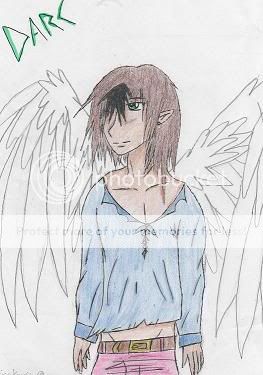
¥ Andanielle / Aonghus / Angel / [X]¥ fallen child of Summer / Thylin Kumerin / Angel / [X]° [.+Kayosei+.] / Yunalesca / Mermaid / [X]° Jazzmo13 / Melody / Human / [X]° Kiki Itemri / Tiphani / Angel / [X]« Brolis / Scarlet / Angelic Mermaid / [X]« Kaineferu / Nife-én-Ankh / Angel / [X]« Steal / Sylvan / Cat Angel /[X]« Steal / Ayce / Cat Demon [X]« Steal / Fhyre / Cat Demon [X]¢ Meghan749 / Simon / Robot / [X]¢ XGeminiFaeryX / Astrid / Robot / [X]¥ PrincessSerenity15 / Daine / Human / [X]¥ [.+Kayosei+.] / Hira / Faerie / [X]¥ meghan749 / Heather / faerie / [X]The Child« meghan749 / Sunshine / Mermaid / [X]« Huroggmeten / Adrienne / Angel /[X]« Star Riyoka / Daon / Angel /[X]« Kara Winters / Feng / Mermaid / [X]« Kara Winters / Ryu / Merman / [X]♥ Roselite Blade / Demyx / Demon / [X]♥ Steal / Gamui Gackt / Faerie / [X]« Steal / Elspeth / Faerie /[X]♥ Dooma / Hyde / Angel / [X] ♥ Dooma / Pete Burns / Faerie / [X]♥ Mizu_Taji / Syrus / Human / [X]« NagisaKaoru / Darc / Angel / [X]♥ Dooma / Solus / Demon / [X]« SaekoChan / Terra / Witch Angel / [X]♥ Brolis / Inuyasha / Dog Demon / [X]♥ PrincessSerenity15 / Selena / Angel / [X]♥ Steal / Sephiroth / Angel / [X]The Suprise« [Angel..Of..Death] / Jennifer / Angel / [X]♥ Princess Everest / Isuzu / Human /[X]♥ ChiemiChan / Natsuki / Human / [X]« Siatara / Lindale / Faerie /[X]¥ Amirynth / Adeliss / Demon / [X]¥ RikPowley / Kita / Human / [X]
¥ RikProwley / Antonius / Angel / [X]¥ Star Riyoka / Darshawn / Angel / [X]¥ WeddingSakura / Sakura / Mermaid / [X]¥ Steal / Denerios / Merman / [X]¥ Elysia Kavanagh / Cissos / Demon / [X]« Kaineferu / Hara / Demon / [X]♥ Brolis / Reno / Human / [X]« Plectrum / Eros / Merman / [X]° Kitterfox / Garu-yan / Demon / [X]♥ [Aidan] / Toshiro / Angel / [X]° Graphophobia / Alaina / Faerie / [X]« LadyNyoko / Selene / Angel / [X]° Lucien Rahl / Sheyana / Angel / [X]♥ Ayla Ursus / Naomi / Faerie / [X]♥ Dragonchu / Cloud / Demon / [X]♥ Huroggmeten / Chi / Human / [X]♥ Huroggmeten / Michael / Angel / [X]♥ Meghan749 / Kari / Angel / [X]♥ Meghan749 / Davis / Angel / [X]♥ [.+Kayosei+.] / Aerith / Angel / [X]♥ PrincessSerenity15 / Kagome / Human / [X]♥ ChiemiChan / Shizuru / Human / [X]« Steal / Seki / Kitsune / [X]« Steal / Malifice / Dragon Angel / [X]« Sailornorthstar / Sunny Jones / Human / [X]♥ Hakuo0000 / Gaara / Human / [X]° Kranna / Rani / Demon / [X]« Mau / Nari / Faerie / [X]
♥ Mau / Harry Potter / Angel / [X]♥ Roselite Blade / Axel / Demon / [X]♥ Roselite Blade / Roxas / Angel / [X]♥ Tolli Raovan / Raziel / Demon / [X]« Steal / Tienne / Merman / [X]« Steal / Kyle / Merman / [X]¥ Sailornorthstar / Sugar / Zombie faerie / [X] ° Rakura Lynn / Kirou of Night / Faerie / [X]♥ Rakura Lynn / Lavi of Crying Rain / Demon / [X]♥ Sunakosan / Sunako / Demon / [X]Mistress_Ice / Princess Tutu / Faerie / [X]♥ Elnara Aldrich / Celebor / Elven Human / [X]« Ginger.Duckie / Kadri / Human-bear / [X]The Reaction---- The VaseGen 2 Owner / Name / Species / Parents / ProfileThe Vase« Steal / Wataru / Angel / Yue and Jaseth /[X]« Kara Winters / Miyu / Human / Yue and Jaseth / [X]
Welcome & rules | Story | Stages | Ordering a Second you | Info for the flatsales | Owners | Breeding | Guild | Activities on this thread and in the guild | Crew introduction | Affies | FAQ | Info for the auctions
|
|
|
|
|
|
|
|
|
|
|
|
|
|
|
|
|
|
Posted: Sat Mar 17, 2007 5:35 pm
-------------------------------------------Breeding
Ever wondered where the babies come from?
Well as long as we are talking about Second yous, they come out of the vase.
Now you are wondering how does the loving couple get the vase, do they make it by themselves?
No, sorry to dissapoint you, but it is actually really easy, the loving couple must come to the goddesses Minty and Raspy. Those goddesses test their love and when they agree with the second yous wish to recieve a child, Minty creates the vase, and Raspy creates the little person into the vase.
Breeding can take up to a few days, because all people concerned must be online during the breeding process. (goddesses + the two second yous.)
Breeding can also be done between two males and two females.
The default number of children is 2, which costs 30k to 40k (depending on the detail)
But if you only want one child, it will cost you the regular flatsale price of 18k.
When you want more children, let the goddesses (their owners) know!
so once again the pricelist:
default- 30-40k (2 children)
1 child - 18 k
3 children - about 45-55k
...and so on... Trades to the mule please!
Also, we will be needing the following information:
Name:
Gender:
Vase:
What happens to the children?
They are now belonging to the owner of it's parents. The child CANT be sold to anyone else, but if you get to an agreement with Raspberry-Tea, you can give the child to someone else.
-------------------------------------------Breeding history
Parents / children / Owners
Yue and Jaseth / Miyu and Wataru / Kara Winters and Steal
Welcome & rules | Story | Stages | Ordering a Second you | Info for the flatsales | Owners | Breeding | Guild | Activities on this thread and in the guild | Crew introduction | Affies | FAQ | Info for the auctions
|
|
|
|
|
|
|
|
|
|
|
|
|
|
|
Posted: Sun Mar 18, 2007 4:12 am
-------------------------------------------The guild
The guild offers a lot of areas to RP with your Second You in. There's the
Sea Shore Resort
AKA beach and such! Whoo!
Fighting Arena
Learn some moves or fight in combat with other users!
Schools
Learn things for your Second You, or open up some classes!
An Ancient Library
Share your literate works of art, or be dazzled by your friend's writings!
And finally, a gorgeous meadow with an ancient tree!
Have some fun in grassy plains, or climb trees, or whatever else you wish!
There is more being added, too, so things just get better! And of course, to make the guild to your liking, you can make some suggestions for what is to be added, changed, altered, introduced, ruled and termed...Etc. etc. heart
Here are some quick and basic rules to keep in mind:
Keep subjects and content PG13
Follow Gaia's ToS
Be polite and friendly
Only post in profiles if it's your Second You's profile
Have fun~and a lot of it!
rules can be edited or added to.
If you're new there, you should introduce yourself. Next you might wanna glance at the crew's thread so you can learn who the admin are. The next recommended thing would to be to skim the information on the subforums, so you know where everything is.
Add information to your profile, and perhaps add the elders (shop mule(+Tiia and Tea)) to your friendlist?
You can adversite for your favorite places (free!), or look at the affliates. And in every subforum you visit, be sure to read their quick abouts and rules, so you're rocking the house in them!
Got questions? Go to the Help desk and post you'r questions. Tea or one of the other admins/owners will answer your questions asap.
All right, get RPin'! Since, of course, it is mandatory to RP for your Second You's growth!
Welcome & rules | Story | Stages | Ordering a Second you | Info for the flatsales | Owners | Breeding | Guild | Activities on this thread and in the guild | Crew introduction | Affies | FAQ | Info for the auctions
|
|
|
|
|
|
|
|
|
|
|
|
|
|
|
|
|
|
Posted: Sun Mar 18, 2007 4:19 am
-------------------------------Activities on this thread and in the guild
Current Activities :
TSY 1 year b-day!!
Upcoming Activities:
---
Past activities in the shop:
Halloween event 22.10 to 31.10 (2006)
Tiias and Teas birthday event like thing...24-th of May
Flatsale II 04/29/06
Easter Egg hunt 04/13/06
Puzzle hunt 04/16/06
Important Dates In Shop:
First Flatsale - 3/24/06
MERMEN ARRIVED! - 4/14/06
DEMONS ARRIVED! - 4/14/06
FAERIES ARRIVED! - 4/16/06
Upcoming activities In Guild:
Nothing yet.
Welcome & rules | Story | Stages | Ordering a Second you | Info for the flatsales | Owners | Breeding | Guild | Activities on this thread and in the guild | Crew introduction | Affies | FAQ | Info for the auctions
|
|
|
|
|
|
|
|
|
|
|
|
|
|
|
Posted: Sun Mar 18, 2007 5:07 am
------------------------------------Introducing the crew
 hello, I'm Tea! hello, I'm Tea!
I created the shop wiht Tiia, my twin sister. I am the main owner and the only artist here, so all second you related questions should come to me at first. If you dont want to bother me, ask one of the following nice people *points towards the next crew members*
Currently cuesting for:
avatar art?
 hello, I'm Tiia, Tea's twin sister.. hello, I'm Tiia, Tea's twin sister..
I love to draw, and to write poems.
I manage the magick school in the guild and I'm mainly just helping out tea with the most important questions and stuff.
I'm the basic co-owner of this shop

The second you shop mule, announces activities and growings. If you happen to buy a Second you, this is the account you send the trade to.
 Hello. I'm Dooma. Hello. I'm Dooma.
I make daily updates. I look for: Fan art; New persons coming by; People who talk; People who rp; Unanswered questions; Problems; Growings.
 Well, hi there! My username is Ginger.Duckie, but you can call me Jeshi. ^^' Well, hi there! My username is Ginger.Duckie, but you can call me Jeshi. ^^'
My postion? Well... I guess I'm in charge of the fighting arena. I guess I'm also a thread montior, since I'll be looking over the threads, too... I'm watching you, beware... twisted
So see you around in the guild!
Welcome & rules | Story | Stages | Ordering a Second you | Info for the flatsales | Owners | Breeding | Guild | Activities on this thread and in the guild | Crew introduction | Affies | FAQ | Info for the auctions
|
|
|
|
|
|
|
|
|
|
|
|
|
|
|
|
|
|
Posted: Sun Mar 18, 2007 10:53 am
|
|
|
|
|
|
|
|
|
|
Posted: Sun Mar 18, 2007 11:27 am
---------------------------------------------FAQ
Q: how long do I have to wait until I get the second you?
A: it all depends on how much I have to do, the simpler images can be finished faster.
Q: My second you never got to the reaction stage before coming out of its vase, why?
A: ^^; gomen-gomen, but it looks like the artist has been too busy to make the reaction stage, and well we assumed you'd be happier, when your second you is out of the vase faster. (If she would have made a rection stage too, then you would have had to wait longer.)
Q: My second you hasnt grown yet, though the time needed is allready passed! Why is is so? What is wrong?
A1: ^^; sorry, it seems that the artist is having some problems with drawing at the moment, the image will be made as soon as possible!
A2: It must mean, that you havent roleplayed with your second you enough to make it grow.
Q: My second you was older when I last looked, but now it is back to the suprise stage. Why is it so?
A: Well, the explanation is extreamly simple. YOU HAVENT BEEN AROUND AT ALL! And your poor second you has to suffer because of it. crying
Q: I love my second you as it is right now. Can you stop its growing?
A: ^^ Yes, just PM the shop mule with the request, and a symbol of locked growing will be added to the cert. When you wish the second you to grow again, just let us know.
Q: Can I have one for free?
A: I am afraid not.
Q: I'm not happy with the way my second you looks. What should I do?
A: ^^ no probleem, just pm Raspberry-Tea or Minty-Tiia, whom ever you find more worthy to help you. In the pm, you tell us, what you want to change... like haircolor/ -style; clothes, eyes etc... but, it is going to cost you 2k. Flatsale second yous can not be modified!
Q: I want a anthro second you! can you make me one?
A: well... I quess so, it depends on how anthro he/she is going to be, because I'm not very good at drawing animals...
Q: Oh I want one, but I dont have enough gold, do you take items as payment?
A: No, cause the prices change all the time and the items are usually difficult to sell. Sorry
Q: do you accept pet trades?
A: Well, we might, but it all depends on the quality of the pet you are offering. Mainly, we wont be saying no for no good reason ^^
Q: Can you change the username on my cert?
A: Please PM the shop mule and explain clearly why and so on...
Welcome & rules | Story | Stages | Ordering a Second you | Info for the flatsales | Owners | Breeding | Guild | Activities on this thread and in the guild | Crew introduction | Affies | FAQ | Info for the auctions
|
|
|
|
|
|
|
|
|
|
|
|
|
|
|
|
|
|
Posted: Sun Mar 18, 2007 2:02 pm
-------------------------------------------Info for the auctions
The second you 1 year anniversary auction!!
Pets to bid on:
Starting bids: 15 000 g
Bid increasements: 1 000g
Bidding history for the pet nr 1 :
HB: --
Bidding history for the pet nr 2 :
HB: --
Welcome & rules | Story | Stages | Ordering a Second you | Info for the flatsales | Owners | Breeding | Guild | Activities on this thread and in the guild | Crew introduction | Affies | FAQ | Info for the auctions
|
|
|
|
|
|
|
|
|
|
|
|
|
|
|
Posted: Sun Mar 18, 2007 3:06 pm
|
|
|
|
|
|
|
|
|
|
|
|
|
|




 Reply
Reply